In my previous article I wrote that my tool Norns Companion solved the overview of my agents, but that the fatigue stayed in the decisions, in code review and in switching between sessions. The natural next step would have been to keep building on Companion and put even more hours into hunting for a solution.
Instead I installed Herdr at the end of September and have run it next to my own tool since then. It ended with a plugin of my own, a pull request to someone else's plugin and some thinking about what I'm actually looking for in a tool.
Why try something else when my own tool works?
Herdr is a terminal multiplexer that claims to bridge the communication between you and your agents. It has workspaces, tabs and panes like tmux, and a sidebar that shows what each agent is doing: working, waiting for input, done or idle. Sessions survive closing the terminal or restarting the computer.
My day is very often Drupal sites running in ddev, LazyVim in Ghostty and zsh, with a Mac as my daily driver and a Linux box over Tailscale for my own development and local AI. Before Herdr I ran tmux and Norns Companion, my own app that keeps track of the sessions and has ddev controls built in.
Halfway into the test I could put words to what I actually expected. I want to see which agent is waiting for me and where my attention should go. That was the same need that made me build Companion. My own tool is also mine to maintain, and I wanted to see if something more people use could take over that part and hold up for a full day with several agents and environments.
Herdr on a Swedish keyboard
The first challenge was the keyboard.
Herdr uses ctrl+b as its prefix, just like tmux, and I changed it to §.
On a Swedish keyboard § sits top left and isn't used for anything else, so it becomes one key press instead of a chord, and Neovim gets ctrl+b back for scrolling up.
The idea came from Datalumina's guide to Herdr.
Every shortcut built on Alt had to go.
With Option as Alt on the Mac I can no longer type @, [, ], { and } on the Swedish layout, and those are characters I type all day.
ctrl+h/j/k/l moves between both Neovim splits and Herdr panes, the way I'm used to from tmux. This means ctrl+l, ctrl+k and ctrl+j no longer reach Claude.
Notifications first went through the system, and on macOS that means AppleScript. Clicking a notification opened an empty document in Script Editor, so I let Ghostty deliver them instead. The configuration lives in my dotfiles behind a symlink, like everything else, and Herdr's own settings screen writes through the symlink without problems.
What made the biggest impression day to day was the restore. When I updated to Golden Gate and had to restart the computer, not only did the panes come back, Herdr also started Claude's latest session in each pane. Companion restores the sessions, but it doesn't start Claude where I left off.
Read the plugin before you install it
Herdr has a plugin marketplace, and several of the plugins hook into Claude Code.
One of them is herdr-agent-progress, which shows how far each agent has come right in the sidebar, for example ~65% · Testing changes.
The agent reports this itself, through Claude Code hooks, which means the plugin runs code on every step the agent takes.
So before installing it I had Claude read all of the code, as I usually do, before I also read up on what it does myself. It was about 2,100 lines of Rust with ten common crates, no network code at all, three hooks and careful, atomic writes to the configuration. There were still things to know. The plugin refuses to read a configuration that is a symlink, a safety feature that clashes with dotfiles, so I had to point it to the path explicitly. Every task costs a few extra tokens, and when the plugin is upgraded the sessions already running lose their connection, so each Claude session has to be resumed manually afterwards.
Other plugins didn't really fit my workflow. herdr-projects is built around GitHub and git worktrees, my repos are on Bitbucket, and a ddev environment per worktree and task gets too heavy for the machine. I switch between up to five different clients in a day, so that would be a lot of ddev environments running in worktrees. vim-herdr-navigation and herdr-reviewr stayed, even though reviewr's pull request tab doesn't support Bitbucket. herdr-radar rewrites both Herdr's and Ghostty's configuration and herdr-auto-title needs Go, so I will test those later on.
From frustration to pull request
After a few days of testing I noticed that the agent's row turned stale when Claude ran subagents for more than five minutes.
The main agent is then waiting in its call to the subagents, makes no tool calls of its own and has no chance to report, and the plugin deliberately threw away every event from the subagents.
Claude Code sends the subagents' events with the main agent's session and an agent id of their own.
My fix lets those events count as a sign of life for the main agent, without injecting anything into the subagents themselves, and the row shows subagents instead of stale while they work.
It came to about 30 lines and two tests, with no migration.
I forked the plugin, wrote tests that failed first, ran my own Herdr on the fork branch and tested it live before opening an issue and a pull request. The maintainer hasn't replied yet, so I keep running my fork in the meantime.
One of the things that was missing: ddev
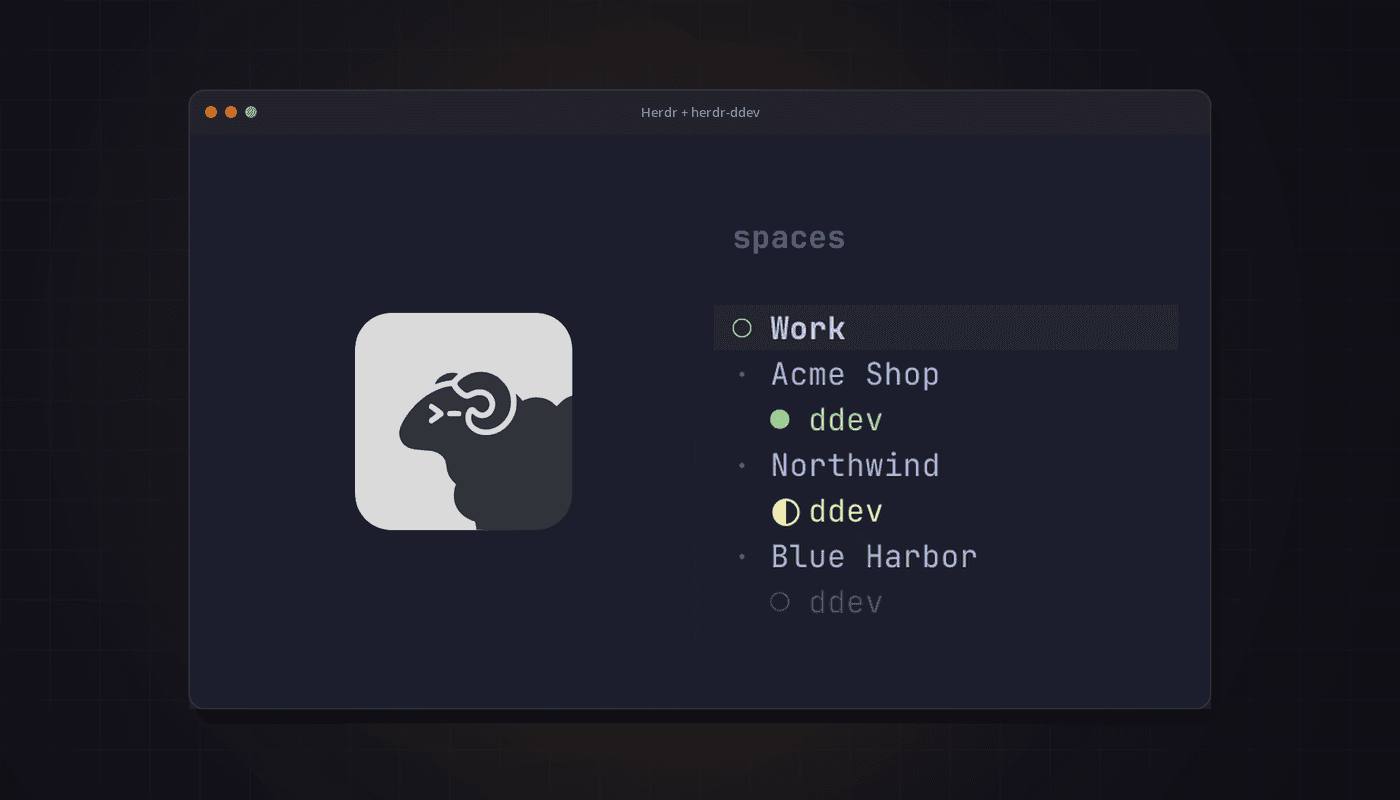
Herdr didn't reduce the fatigue by itself, but it made me want the things I already had in Companion, above all ddev and better notifications. So I built herdr-ddev, a plugin that takes over the ddev part of Companion.
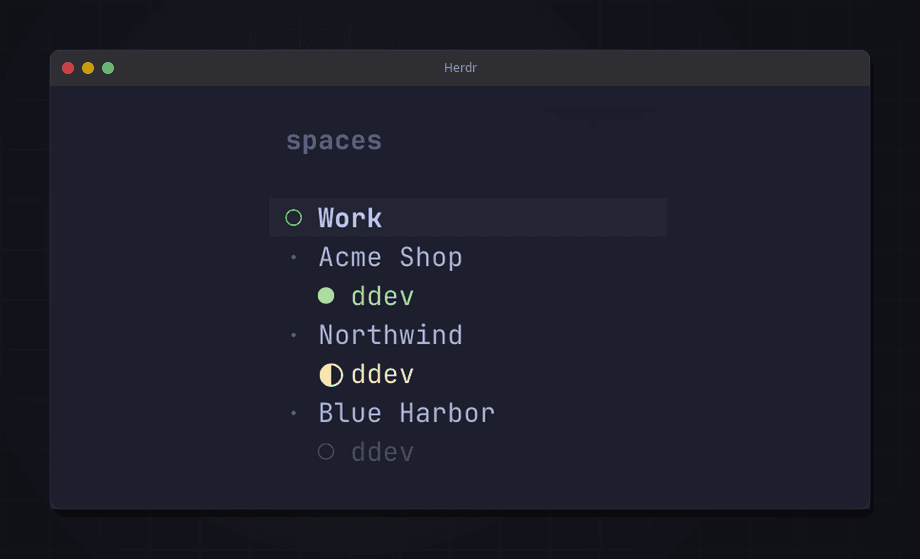
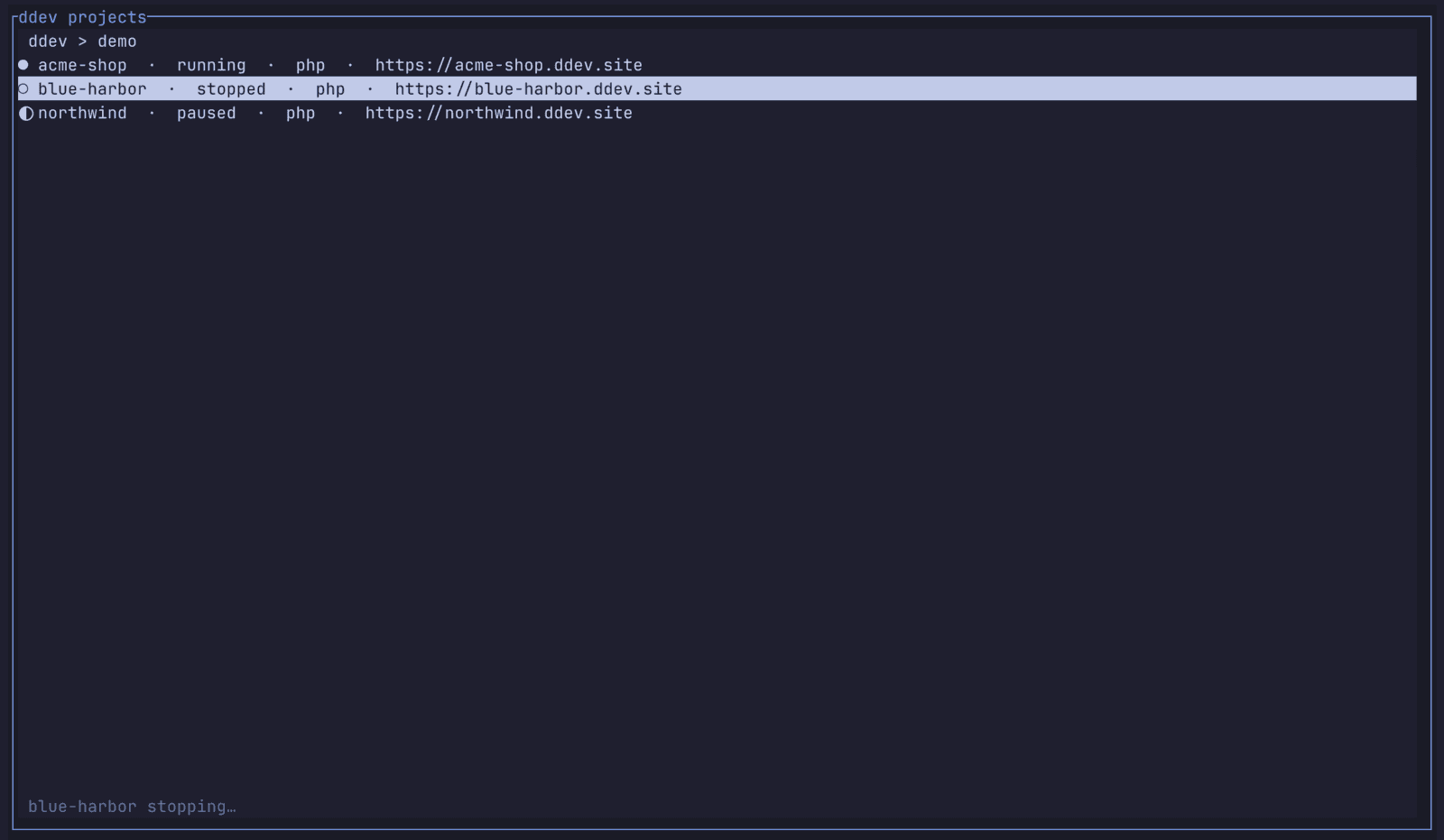
Each workspace gets a badge for its ddev project: running, paused, stopped or busy. I can start, stop and open the site with a couple of keys, and a list of all ddev projects lets me start, stop or restart any of them.
I made a few decisions right away.
The repo would be public from day one, the first version would only do what Companion already did, and the status would come from a simple check every five seconds instead of anything more advanced.
Measurements decide the rest. docker ps with ddev's labels takes about 0.04 seconds and ddev list about 1.3 seconds, so the plugin reads straight from Docker.
Most of the thinking went into making it easy to understand what the plugin is going to install and change.
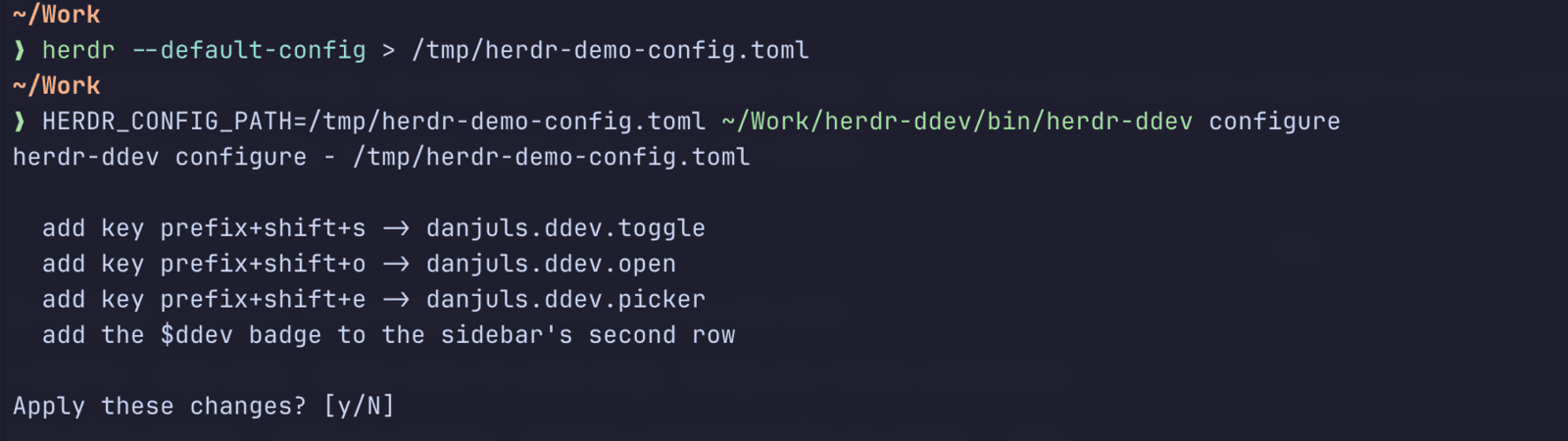
configure shows exactly what it will add, asks, backs up the existing settings, checks the result with herdr config check and records what it added, so that unconfigure only removes its own lines.
I built it with Claude the same way I work on client projects: using the brainstorming skill to start planning it, then turning that into a written spec and a 17-task plan that was carried out test-first. After that a reviewer with no context read the whole branch. It found no critical issues, eight important findings that I fixed with a failing test first, and sixteen minor ones that got their own round of fixes. The release had 152 tests.
The Herdr marketplace listed the plugin about 20 minutes after I tagged v0.1.0.

Notifications and how I work with them
The next thing I looked into was herdr-nudge, where a clickable notification takes me straight to the pane that is waiting. There too I found things that chafed a little, or features I think make the whole thing a bit "better".
That turned into a finished change of +1,650 lines that is waiting. This time I'll try asking the plugin's creator if he wants it before I open a PR.
What doesn't Herdr solve?
Herdr does the same thing for me as Companion: switching to the agent that is waiting becomes quick. The decisions once I'm there are still mine, and that is where the fatigue was in my previous article.
I have also looked at tuios, another window manager for agents in the terminal. It has an inbox, a list of everything waiting where I can answer approvals directly. Whether that solves my daily challenge isn't certain. But I still intend to keep trying new tools until I find ways that make my working day better.
Build it myself or use someone else's?
I still run Herdr, and the ddev part of Companion now lives on as a plugin that others can use. That feels like a better split than building an entire tool of my own for everything. Especially if I never intend to publish it to the world.
What I have learned so far is more about how I choose tools than about Herdr itself. I try what already exists before I build more, I read the code before a plugin gets to run in my agent sessions, and when something bothers me I try to fix it where it belongs instead of forking forever.
What I'm looking for are tools that hold up for a full day with several agents without becoming one more thing to keep track of. Herdr is closer to that than I expected, but I still have tuios to test before I can say whether my own tool will stay in use.
herdr-ddev is on GitHub and in the Herdr marketplace. If you run ddev and Herdr, feel free to try it and let me know if something is missing.